
How the BIAero portal works
Your consignment sales, stock and teardown progress in one secure place, updated every night. This guide shows how to sign in and what each part of the dashboard means.
No password, just a link by email
-
Open the sign-in page
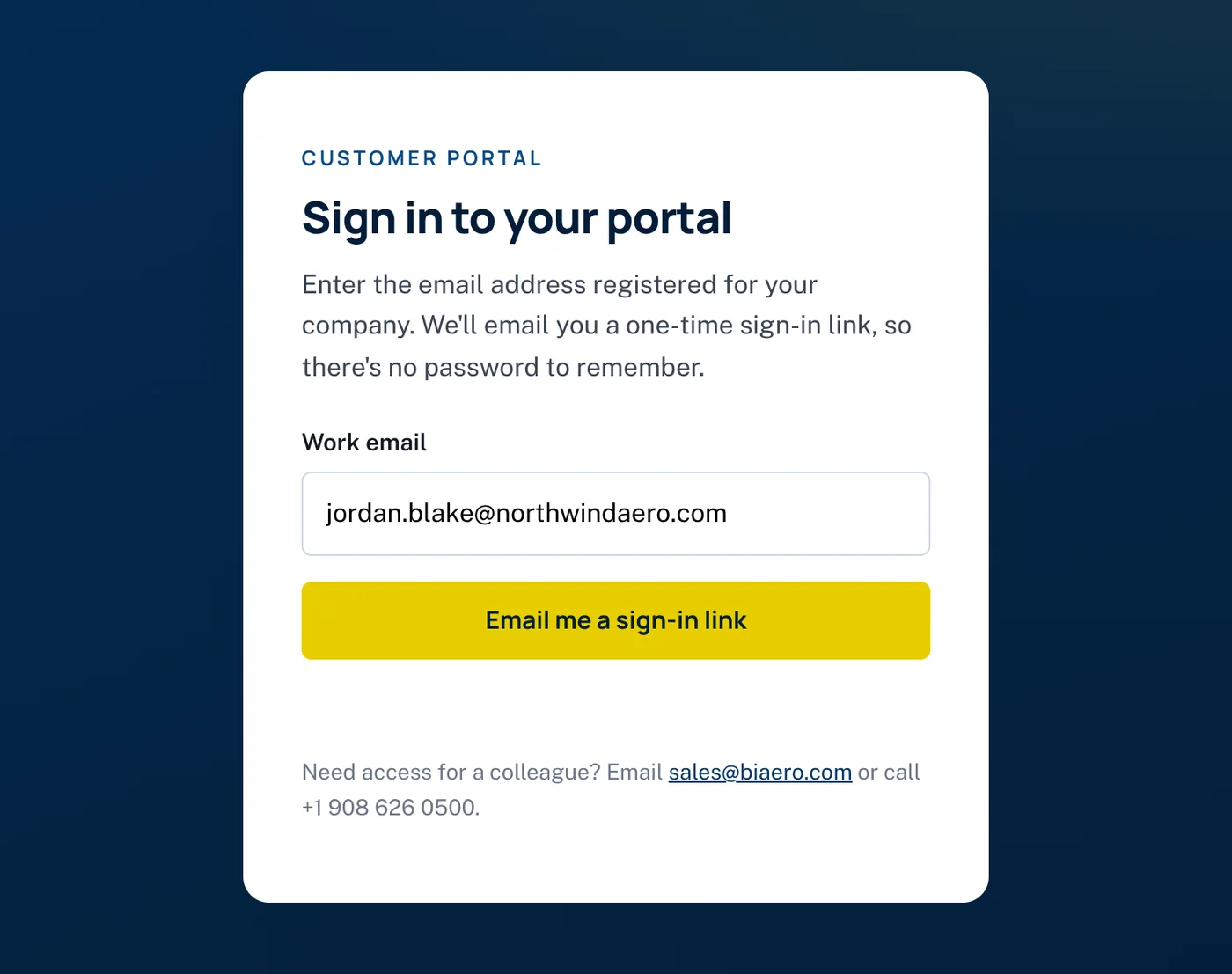
Go to www.biaero.com/portal-login, or click Customer Portal at the top of any page. Enter the work email address BIAero registered for you and click Email me a sign-in link.
-
Open the email
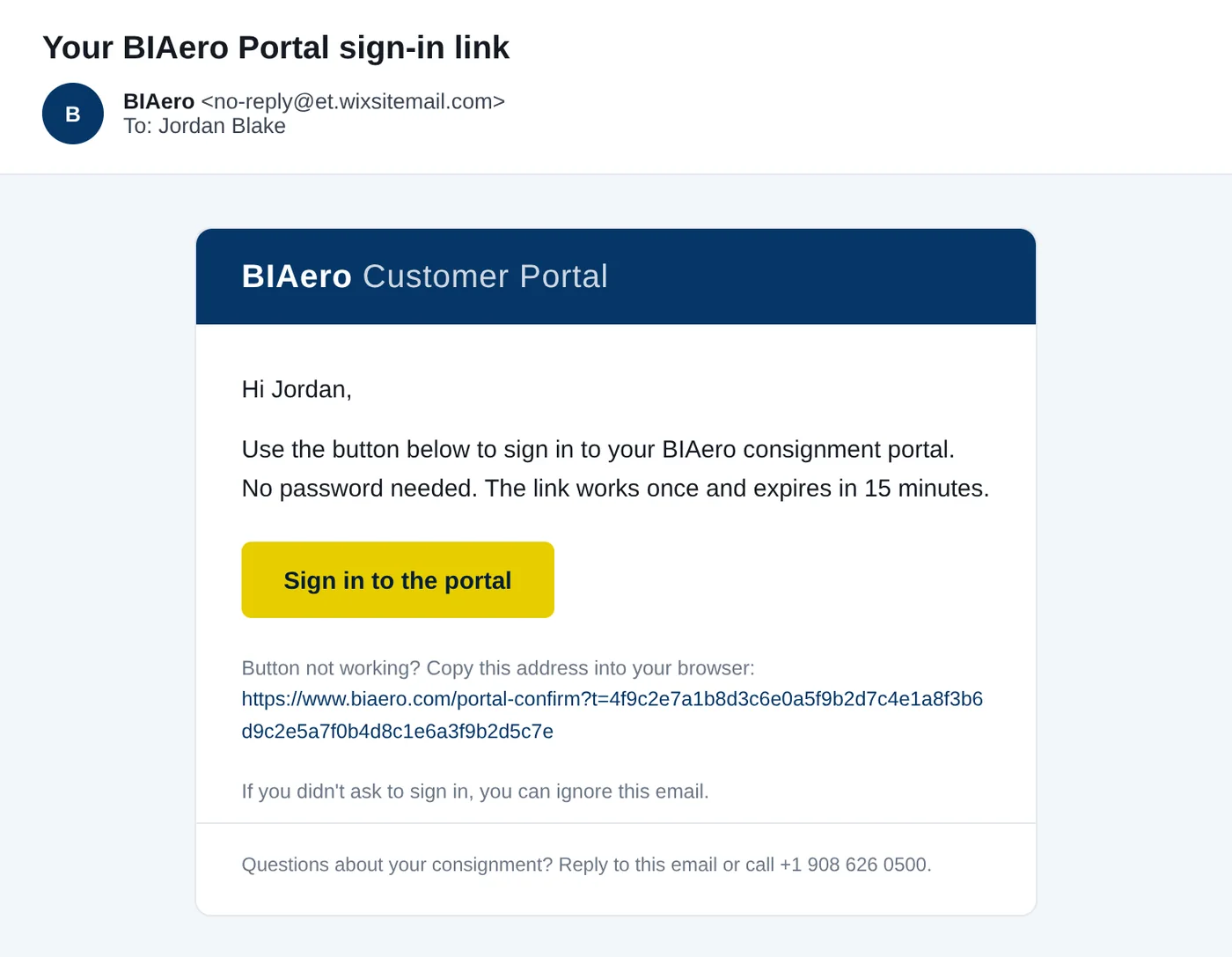
Look for Your BIAero Portal sign-in link and click Sign in to the portal. The link works once and expires after 15 minutes.
-
Confirm
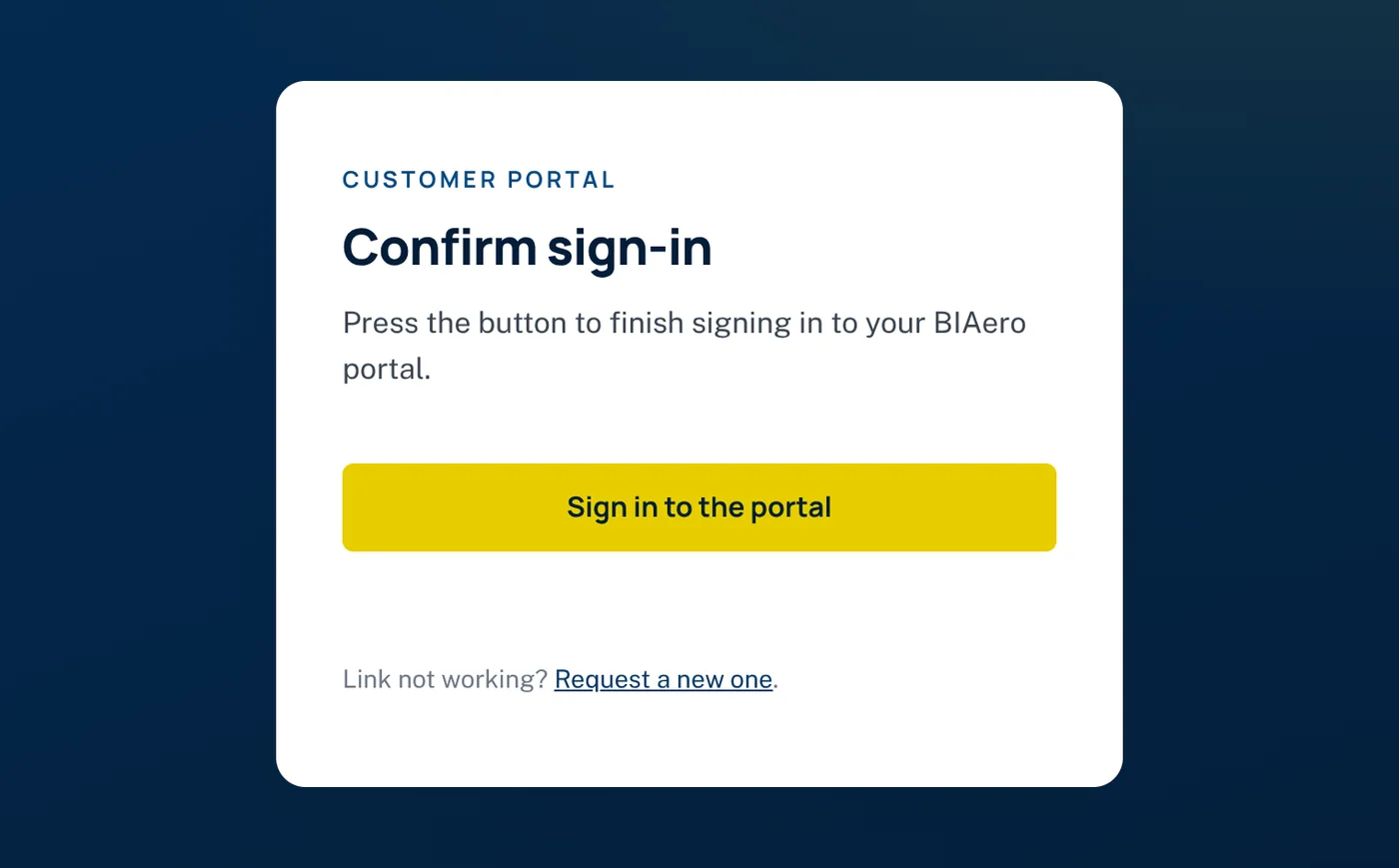
The link opens a confirmation page. Click Sign in to the portal once more and your dashboard opens. The extra click stops email security scanners, which open links automatically, from using up your one-time link.
You stay signed in on that browser for up to 12 hours. Use Sign out at the top of the dashboard when you're finished, especially on a shared computer.
What you're looking at
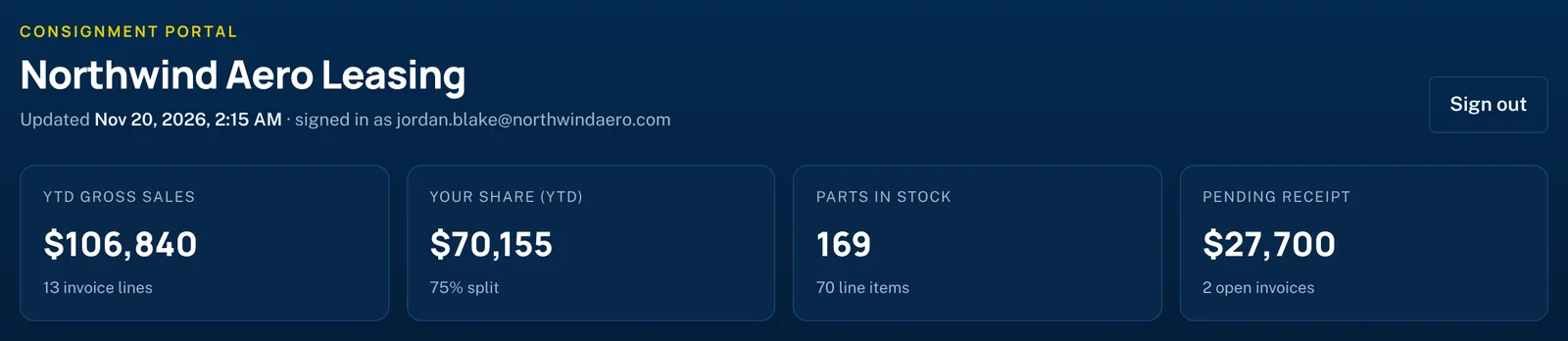
The dashboard opens with your company name, when the data was last updated and the email you're signed in as. Four cards give the headline numbers: year-to-date gross sales, your share, parts in stock and invoices awaiting payment.
Statement of net sales proceeds
The statement walks from gross sales to your current balance. Use the menu at its top right to switch between Year to date, This month and Since inception.
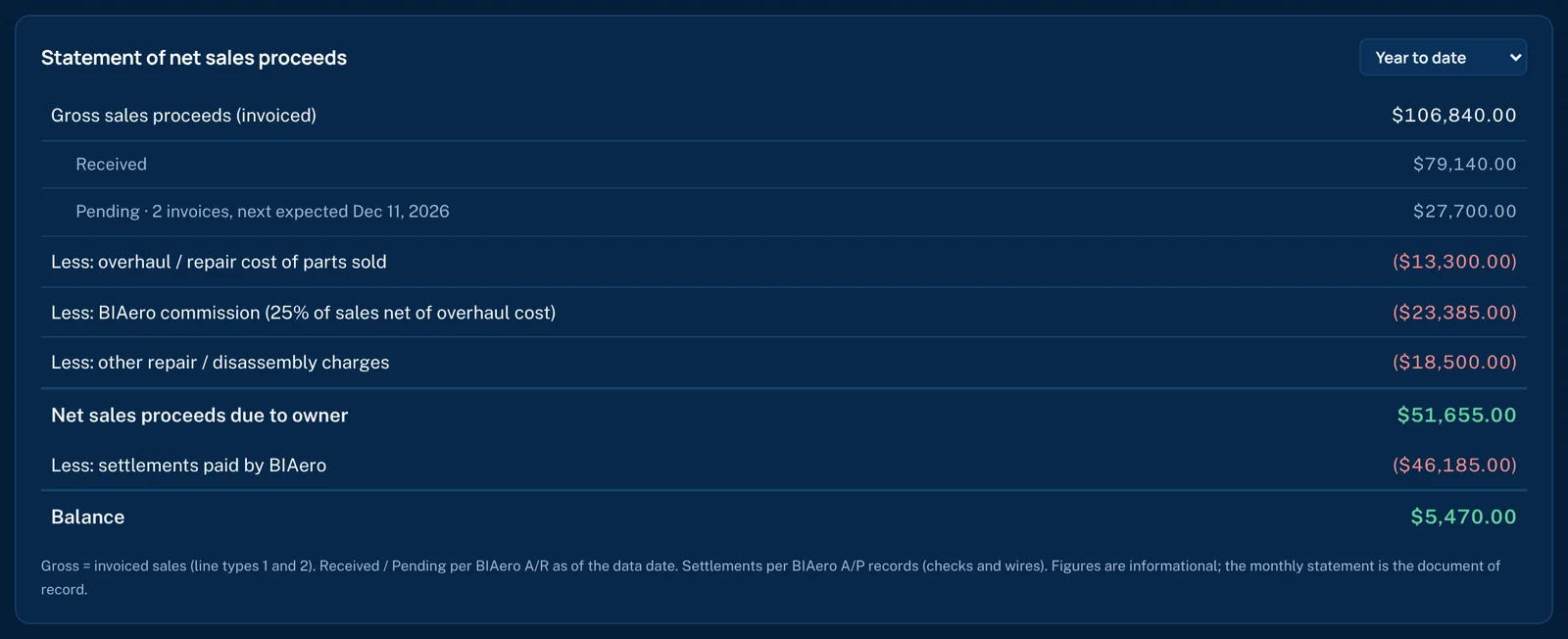
- Gross sales proceeds
- Total invoiced sales of your parts in the period, split into Received (paid by the buyer) and Pending (invoiced, awaiting payment, with the next expected date).
- Less: overhaul / repair cost of parts sold
- Where a part was overhauled or repaired before it sold, that cost comes off the sale first.
- Less: BIAero commission
- BIAero's share under your consignment agreement, calculated on the sale net of any overhaul cost.
- Less: other repair / disassembly charges
- Any other charges agreed in your agreement, such as engine disassembly.
- Net sales proceeds due to owner
- What the period's sales have earned you.
- Less: settlements paid by BIAero
- Payments already made to you, by check or wire.
- Balance
- Earned but not yet paid out. Shown in green when it's owed to you.
Figures are informational; your monthly statement remains the document of record.
Teardown progress, sales trend and recent activity
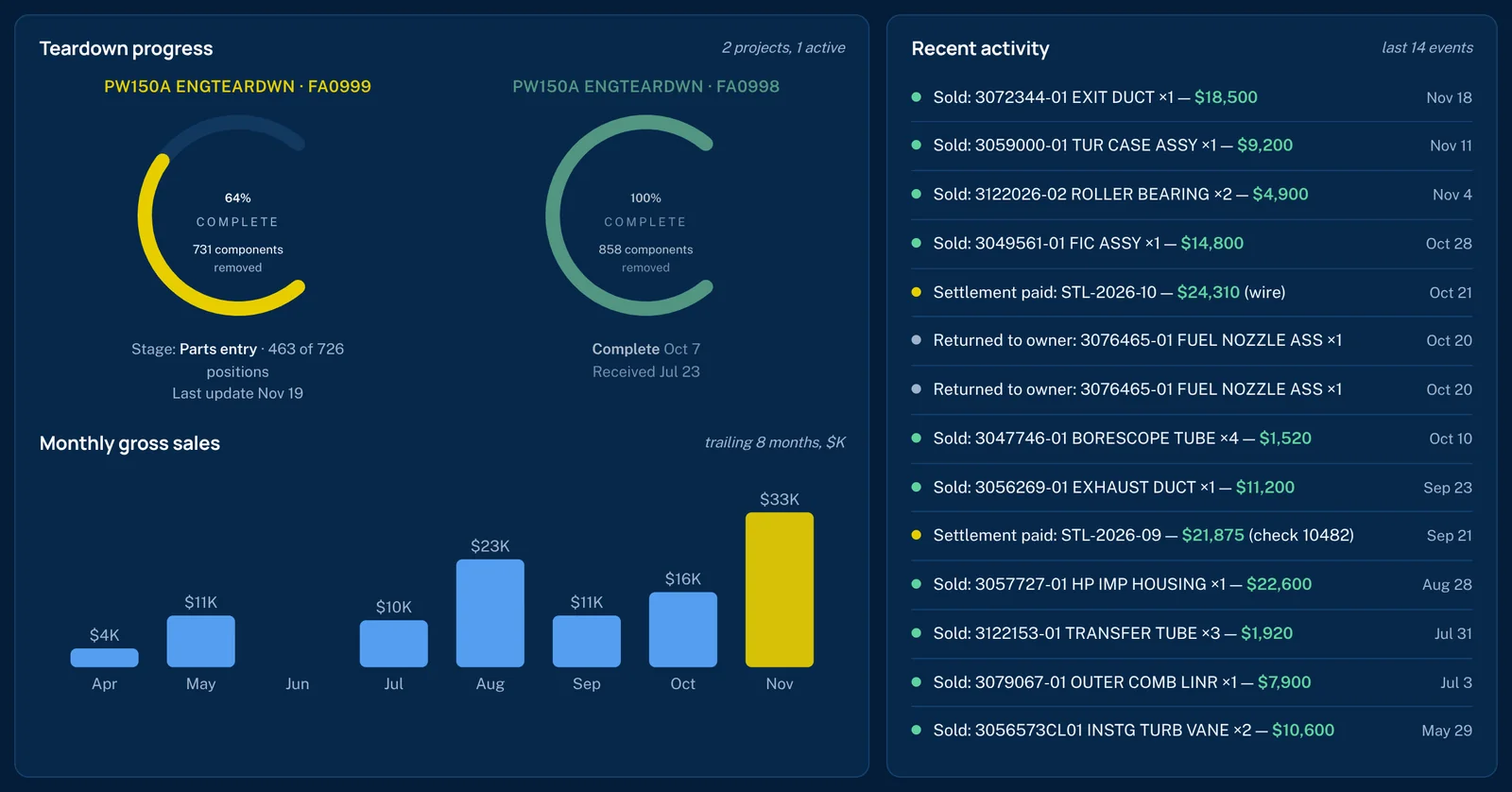
Teardown progress shows up to three engine projects, newest first. The active project is highlighted in gold; finished projects are green, with their completion date. The percentage is based on the engine's build specification, so it measures how much of the engine has been taken apart, not just a count of parts.
Monthly gross sales charts the last eight months. Recent activity lists the latest events: each sale with its value, each settlement paid to you, and any units returned to you.
Stock on hand and downloads
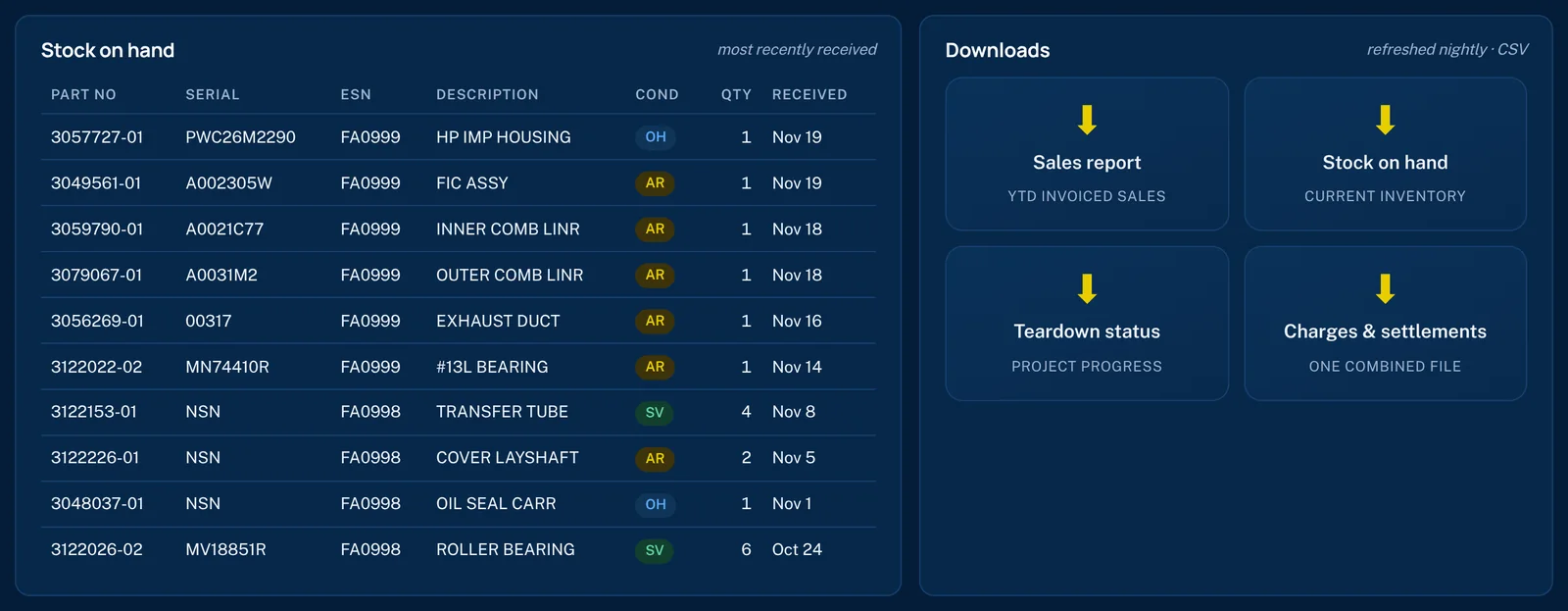
The table shows the ten most recently received parts, each with the ESN of the engine it came from. Condition codes: AR as removed, SV serviceable, OH overhauled.
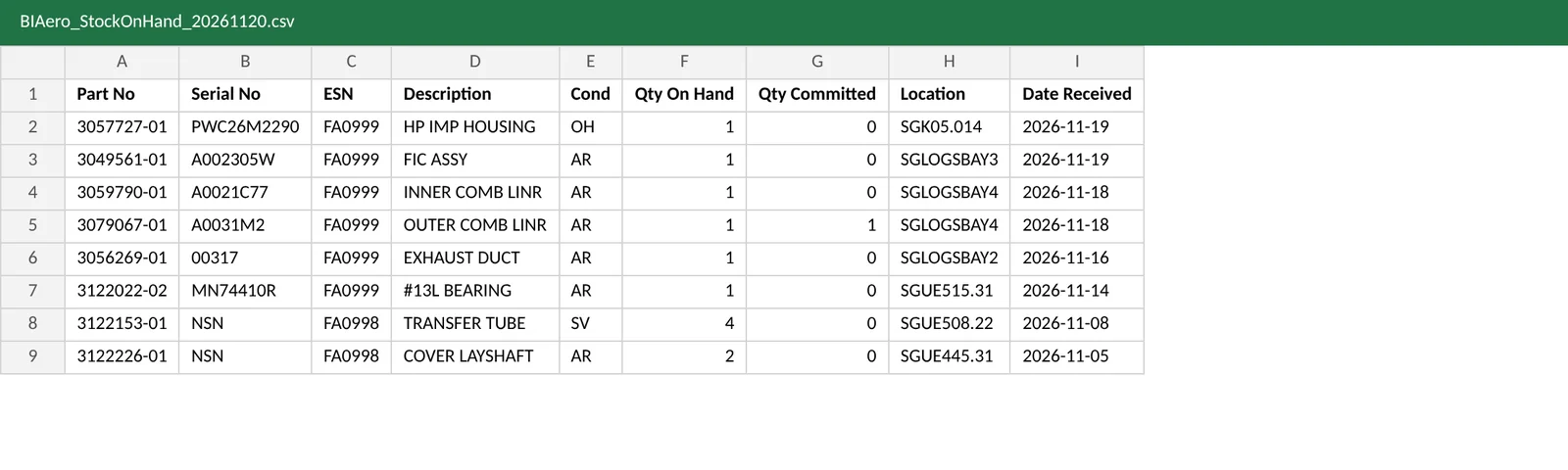
Each download tile gives you the complete data as a CSV file that opens in Excel. Part and serial numbers are kept as text, so leading zeros and dashes come through exactly as recorded.
- Sales report
- Invoice date, invoice and sales order number, part and serial number, description, condition, quantity, unit and extended price, overhaul cost, commission, your share, payment status and expected payment date.
- Stock on hand
- Part and serial number, ESN, description, condition, quantity on hand and committed, location and date received.
- Teardown status
- Job number, asset, ESN/MSN, stage, % complete, components removed and last update.
- Charges & settlements
- One combined file, newest first: date, type, reference, part and serial number, description, amount, paid date and check number.
Full inventory download
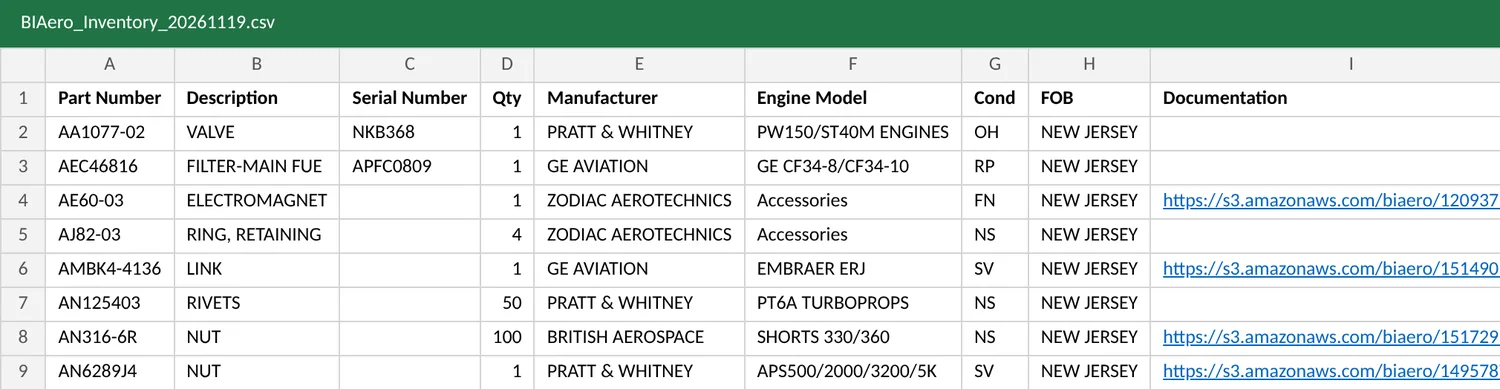
If BIAero has enabled it for you, the same sign-in gives you our full available inventory as one spreadsheet, refreshed every night. Start from the Inventory page and click Download full inventory.
Want access? Email sales@biaero.com or ask your BIAero sales contact.
Where the numbers come from
Everything in the portal comes straight from BIAero's own inventory and accounting system, the same records our sales, warehouse and finance teams work from. Every night the system publishes a fresh copy of each customer's data: sales, stock, teardown progress, charges and settlements. Nothing is typed in by hand.
How your data is protected
- No passwords
- Sign-in uses a one-time link sent to your registered work email. It expires after 15 minutes and works only once, so there is no password to be guessed, reused or phished.
- Registered users only
- BIAero sets up each user. Links only go to addresses on your company's list, and the sign-in page never reveals whether an address is registered.
- Your data stays yours
- Every user belongs to one company, and the portal decides what you see from your sign-in, never from anything in the page or the web address. One customer can never see another's data.
- Secure connection
- The portal runs only over encrypted HTTPS, sessions end after 12 hours, and access can be withdrawn immediately when someone leaves.
- Audit trail
- Sign-ins and report downloads are logged.
Common questions
- The sign-in email didn't arrive.
- Allow a minute or two and check your junk or spam folder. The sender is BIAero <no-reply@et.wixsitemail.com>. Make sure you used the address BIAero registered for you. For security, the page shows the same message whether or not an address is registered.
- The link says it has expired or was already used.
- Links last 15 minutes and work once. Go back to the sign-in page and request a new one.
- I asked for several links and now nothing arrives.
- The portal sends at most three links per address every 15 minutes. Wait a few minutes, request one link, and use the newest email.
- Can a colleague use my link?
- Please don't forward sign-in links. Ask us to add your colleague and they'll get their own access.
- When is the data updated?
- Every night. The "Updated" time under your company name shows the latest refresh.
- Why is a line shown at $0?
- That's a unit returned to you at your request. It appears on an invoice at $0 so every unit stays accounted for.
- Does it work on a phone or tablet?
- Yes. The portal adapts to smaller screens; downloads are easiest on a computer.
Need access, or something doesn't look right?
Email sales@biaero.com or call and we'll add a colleague, enable the inventory download, or walk you through your statement.